
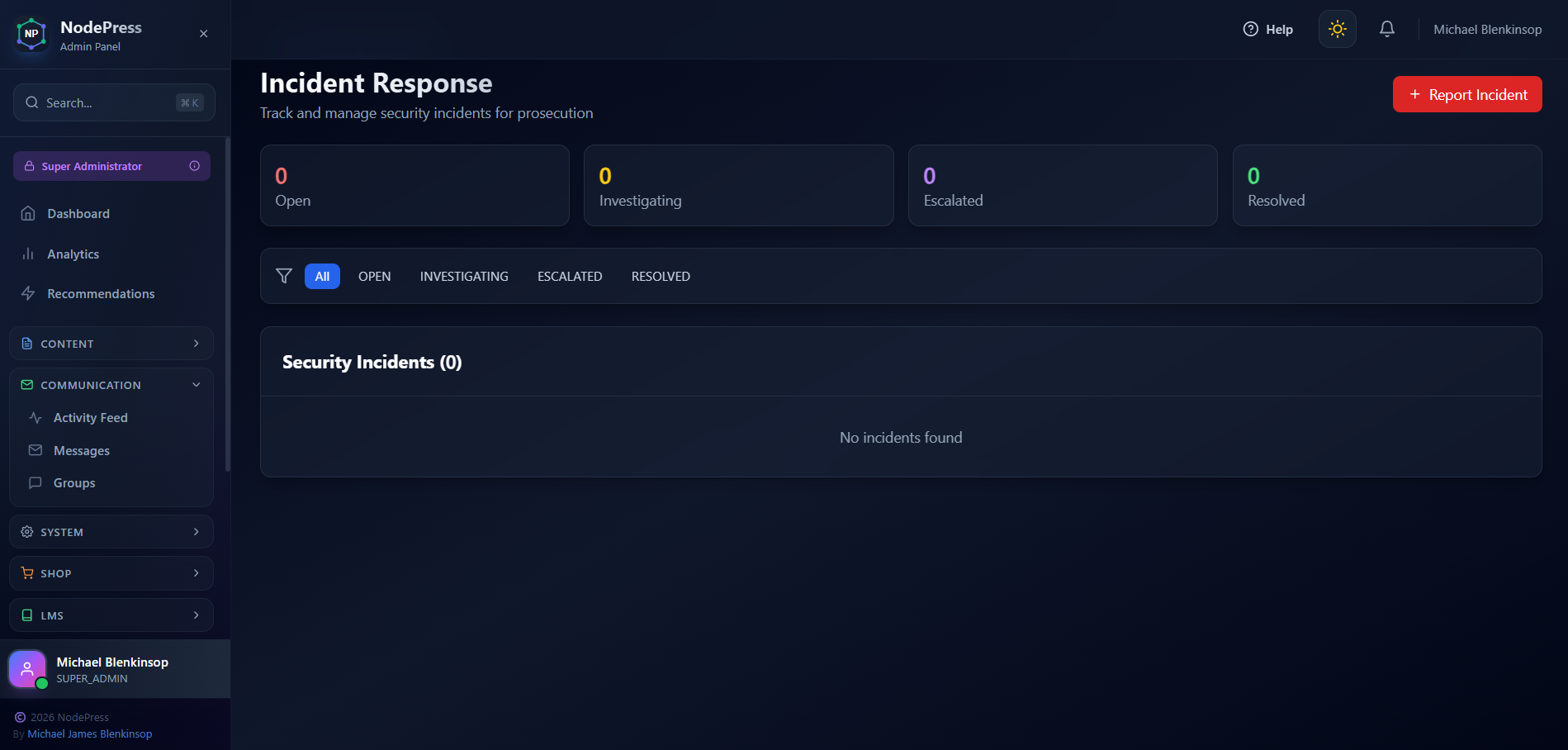
We're excited to announce a powerful new addition to our Security Center: the Incident Response System. This feature gives administrators the tools they need to track, document, and respond to security threats - with full support for generating abuse reports for legal prosecution.
Why Incident Response Matters
When your site comes under attack - whether it's brute force login attempts, spam bots, or malicious scraping - you need more than just blocking the threat. You need a paper trail. Documentation. Evidence.
The new Incident Response system provides exactly that: a centralised hub for tracking security incidents from detection through resolution, with comprehensive reporting capabilities for when you need to take legal action.
Key Features
📊 Real-Time Dashboard
Get an instant overview of your security posture with live statistics showing:
Open incidents requiring attention
Incidents under investigation
Escalated high-priority threats
Resolved cases
🚨 Easy Incident Reporting
Report new security incidents with just a few clicks. Capture critical details including:
Incident title and description
Severity level (Low, Medium, High, Critical)
Attacker IP address
Attack type (Brute Force, SQL Injection, XSS, Spam, Scraping, DDoS, Unauthorized Access)
Investigation notes
🔍 Incident Tracking
Follow each incident through its lifecycle:
Open - New incidents awaiting review
Investigating - Actively being analysed
Escalated - High-priority threats requiring immediate action
Resolved - Successfully handled incidents
Closed - Archived cases
📋 Abuse Reports for Prosecution
This is where it gets serious. With one click, generate comprehensive abuse reports containing:
Full incident details and timeline
Attacker IP address and user agent information
All related security events from that IP
Complete activity history for evidence gathering
These reports are formatted for submission to law enforcement, hosting providers, or legal counsel when you need to take action against persistent abusers.
How to Access
Navigate to Admin → Security
Click the new Incident Response card (red icon)
Start tracking and documenting security threats
Use Cases
Document brute force attacks from specific IPs for reporting to their ISP
Track persistent scrapers stealing your content
Build evidence against spammers for legal action
Maintain audit trails for compliance requirements
Coordinate response across your security team
Taking Action Against Abusers
We built this feature because blocking threats isn't always enough. Sometimes you need to fight back. The abuse report generator compiles everything you need to:
Report attackers to their hosting provider
File complaints with law enforcement
Pursue legal action for damages
Document patterns of harassment
Every IP address, every timestamp, every failed login attempt - it's all captured and ready for export.